Set Up Your AI Receptionist
in 6 Simple Steps
Follow along at your own pace. You'll have a working AI receptionist answering your phones in under 30 minutes.
Start Your Free Trial
Click the button below to start your free trial of SIMPLE Success. No credit card required. This is where your AI receptionist will live — your CRM, phone system, and AI all in one place.
Start Free Trial →Activate Your Account
Check your inbox for an email titled "Activate Your Account" from SIMPLE Success. Click the link inside to log in and set your password.
Fill Out Your Business Profile
Once you're logged in, complete your business profile. This gives your AI receptionist the context it needs — your business name, address, hours, and services.
Open AI Agents & Click "Get Started"
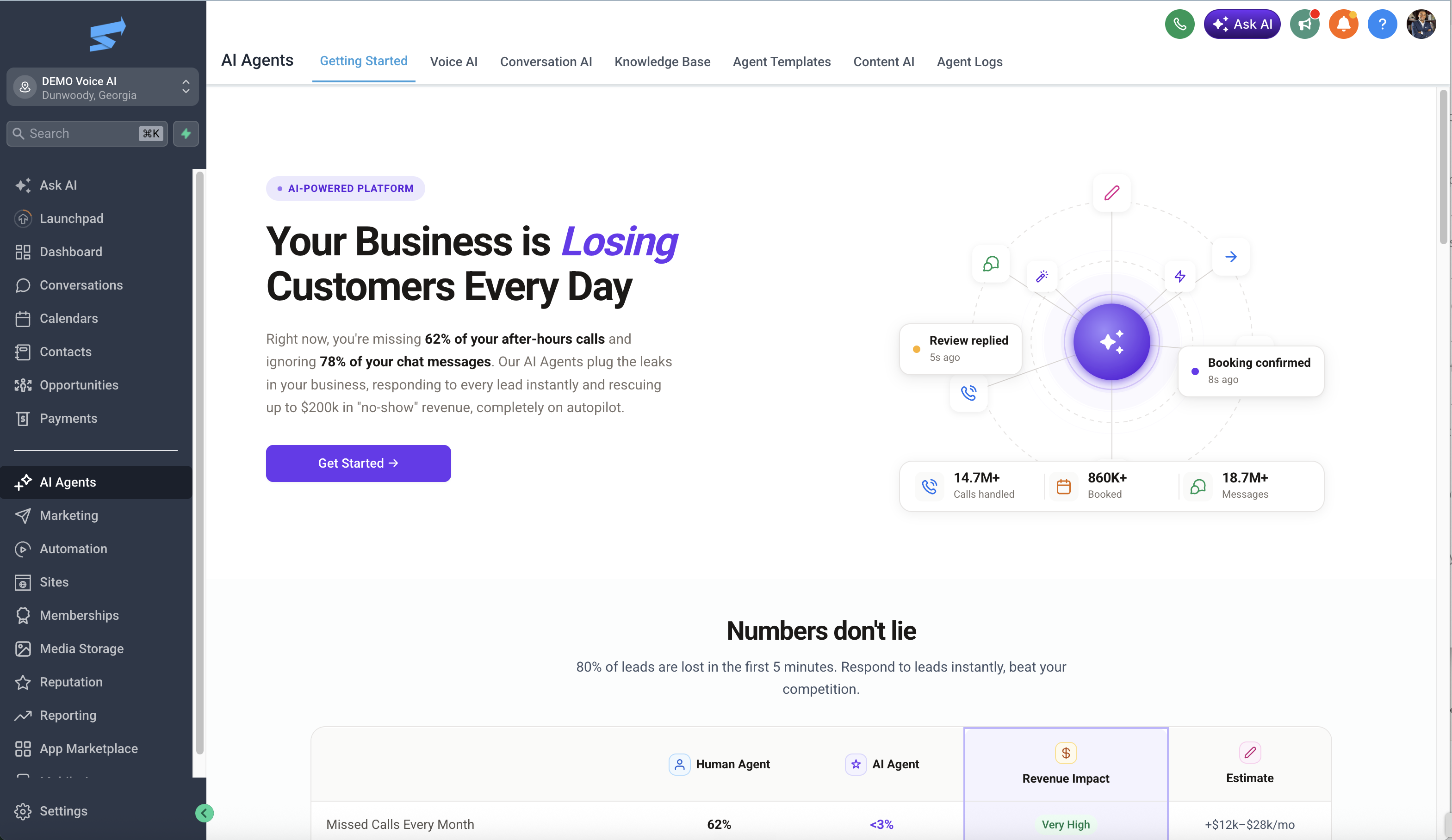
In the left sidebar, click AI Agents. Then click the purple "Get Started" button to launch the AI agent builder.
Describe Your Agent in the AI Chat
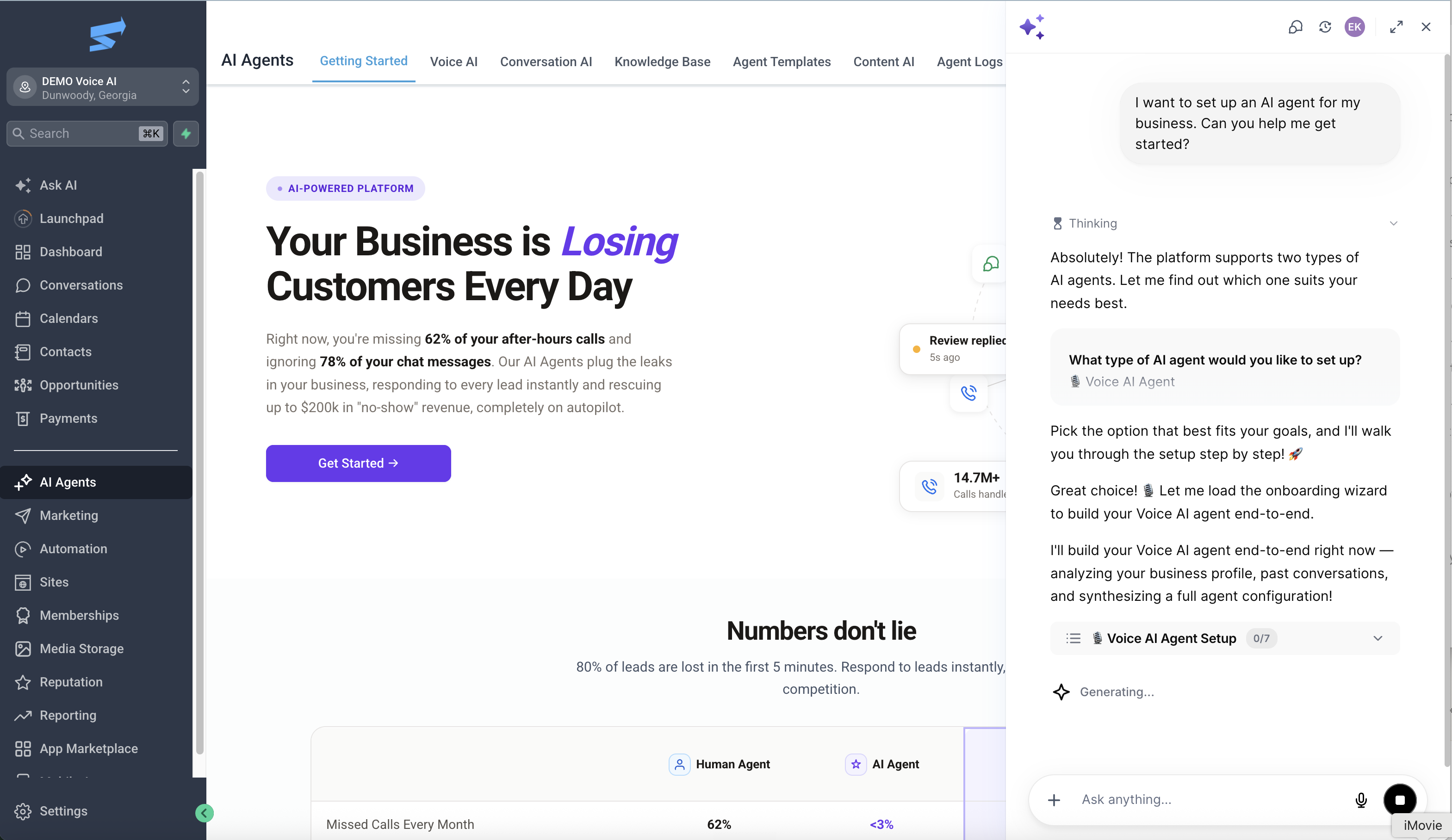
An AI chat box will appear on the right side. Tell it what kind of agent you want to build by pasting this prompt (replace the website with yours):
The AI will analyze your website and automatically build a voice agent tailored to your business.
Set Up Your Phone Number & Test
Follow the AI's instructions to connect a phone number to your agent. Once it's live, call the number and test it out. Talk to it like a customer would — ask questions, request an appointment, see how it handles things.
That's it. Your AI receptionist is live.
Need Help? We're Here.
If you get stuck or want us to handle the setup for you, book a demo call and we'll take care of everything.